Slack Integration
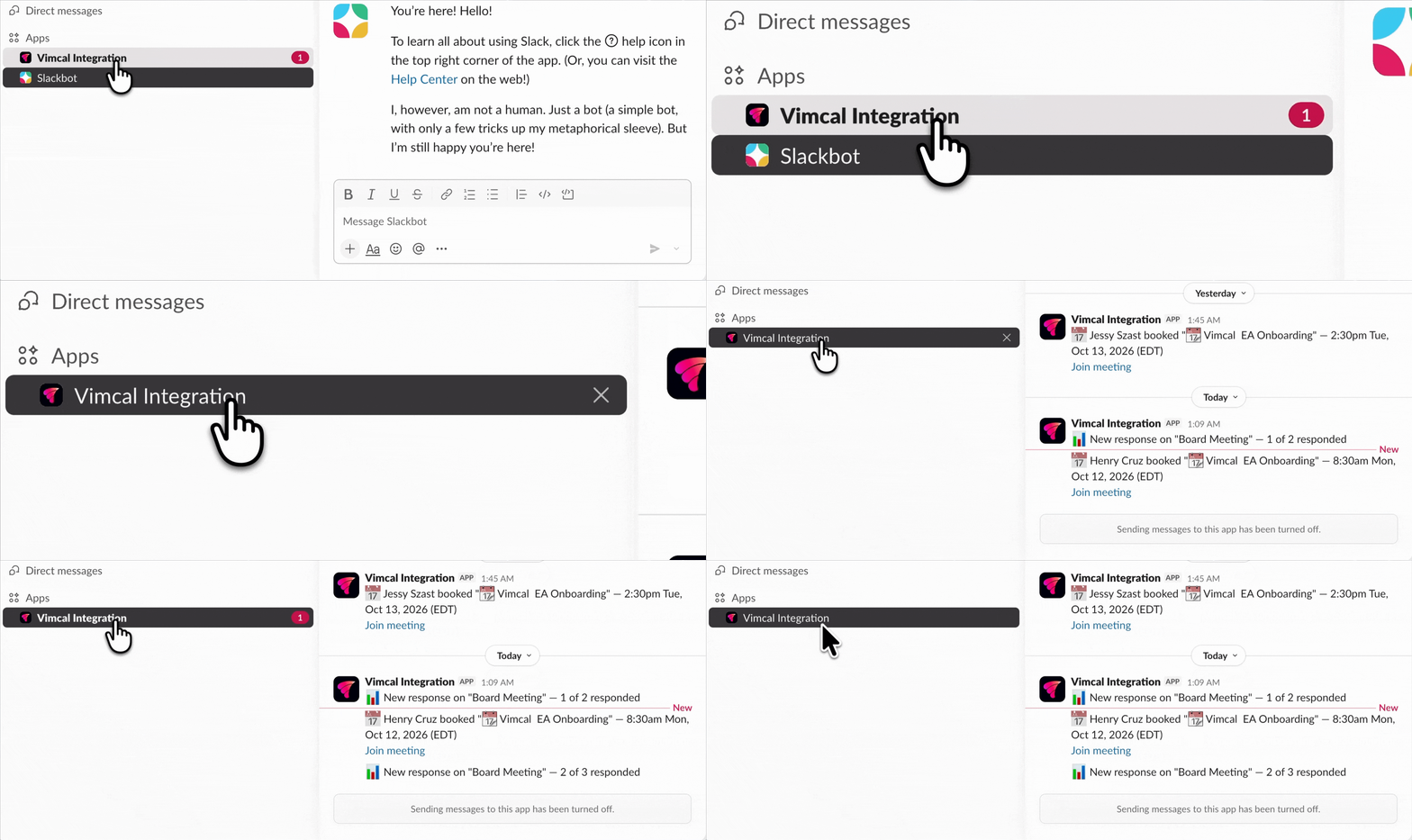
Integrate Vimcal with Slack and get pinged the instant someone books, cancels, or reschedules a meeting through any of your booking links, as well as whenever someone votes in one of your polls or spreadsheets.
How it works
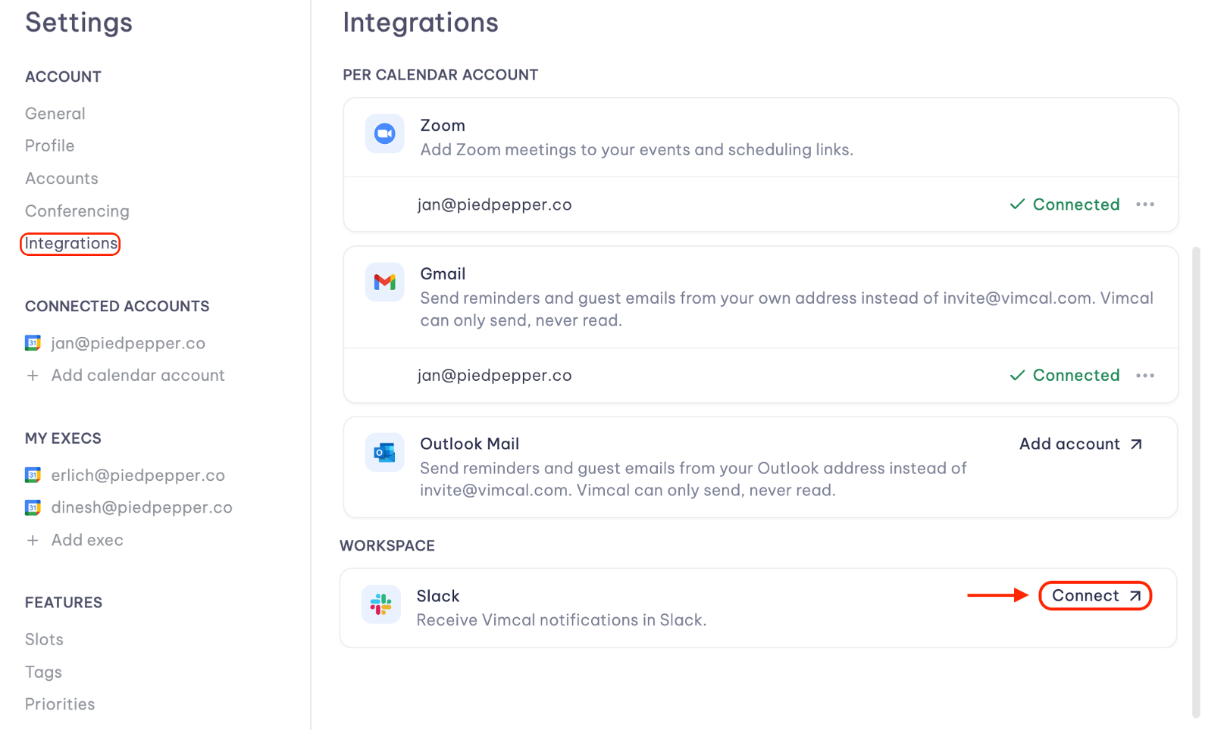
- Go to settings (Cmd + , for Mac or Ctrl + , for PC) and click Integrations in the left menu bar.
- Under Workspace, click Connect next to Slack to set it up.
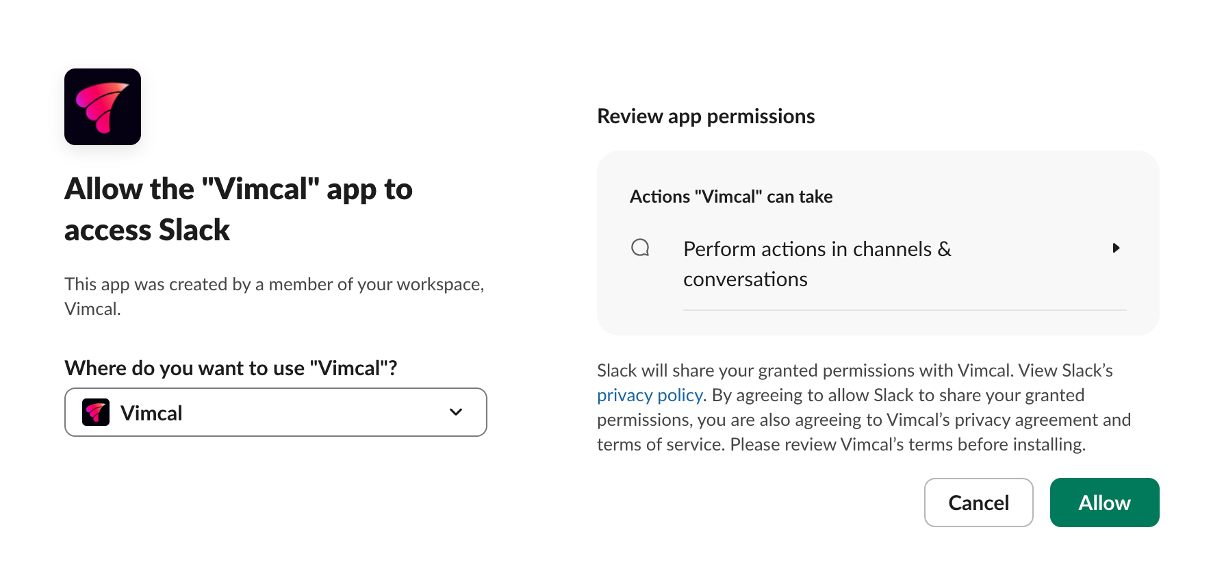
- You will then be routed to Slack to allow Vimcal access.
- Once access is granted, you will get a ping on Slack confirming that Vimcal is now connected.
