Priorities
Priorities let you categorize the importance of an event on your executive's calendar and communicate that priority with teammates who are viewing your exec's calendar.
A meeting's priority will display even for calendars that only show as free or busy. This gives you and your team a way to signal event importance, making it easier to schedule around your executive without needing full visibility into their calendar.
How it works
- Single click any event on your executive's calendar.
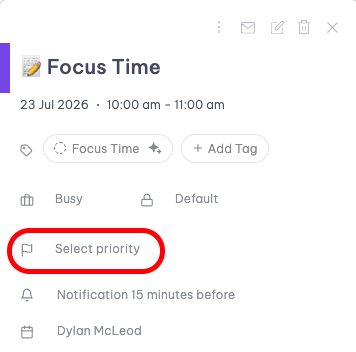
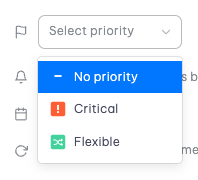
- Click into the Select priority field in the event details panel and choose a priority level: Critical or Flexible.
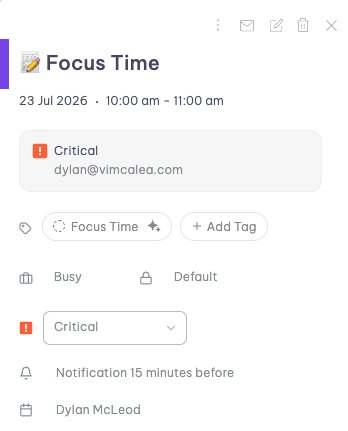
- The event now displays a colored marker on the calendar, so anyone viewing it can see its priority at a glance.
Auto-priority
The best part about priorities is that they can be automatically assigned on your behalf. Just set some rules and watch your events prioritize themselves.
- Go to the Command Center (Cmd + K for Mac or Ctrl + K for PC) and type Update Priority Settings.
- Click Create new rule or Create your first rule.
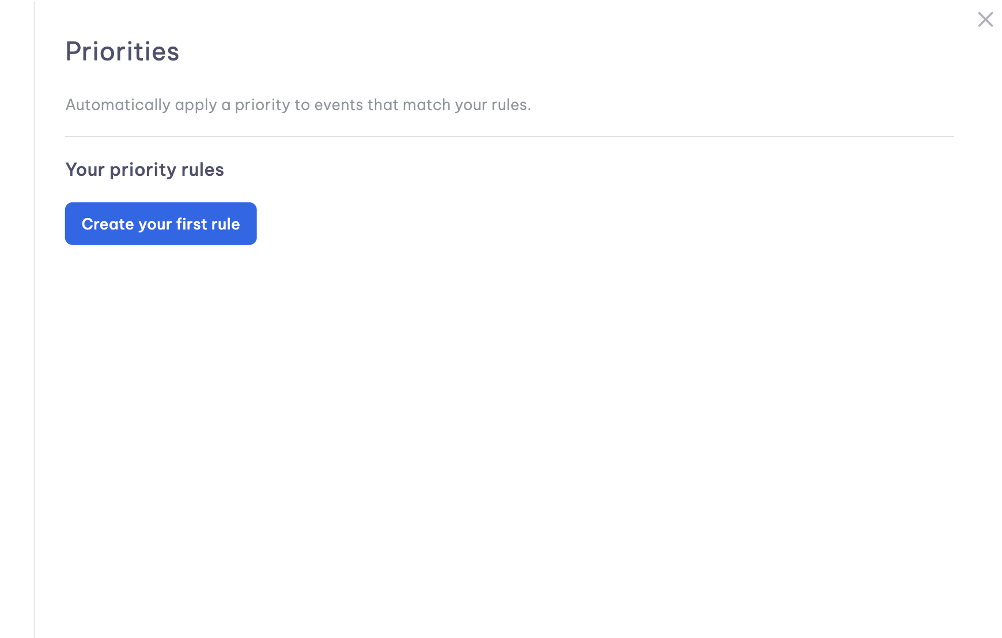
- You can configure how events are prioritized using different rules.
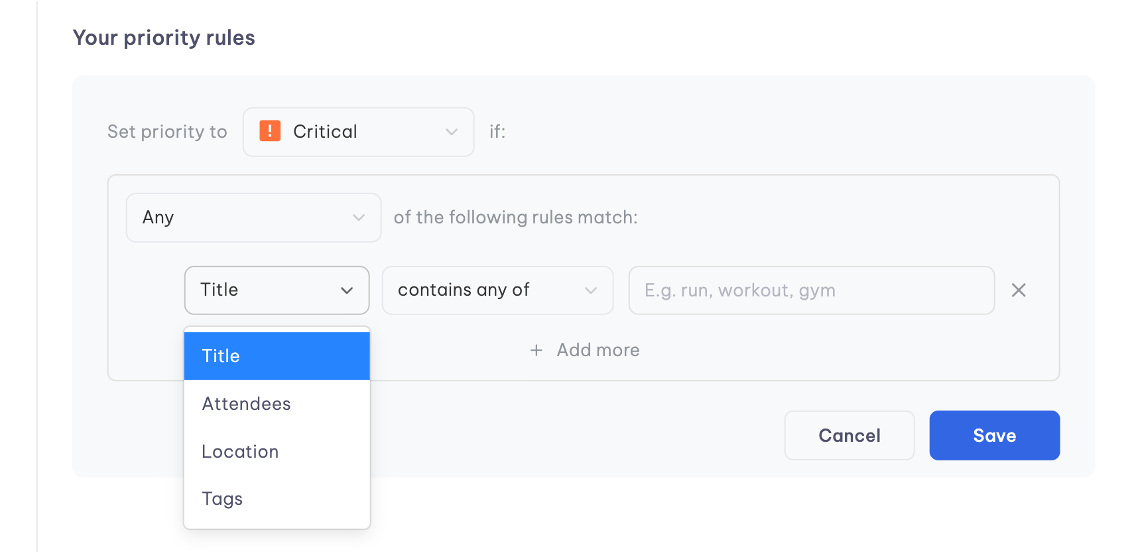
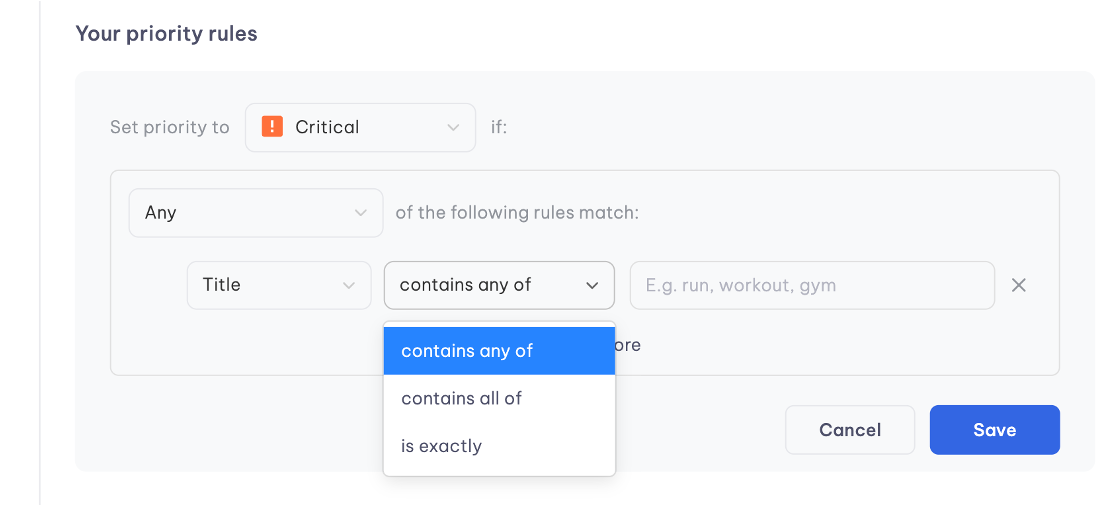
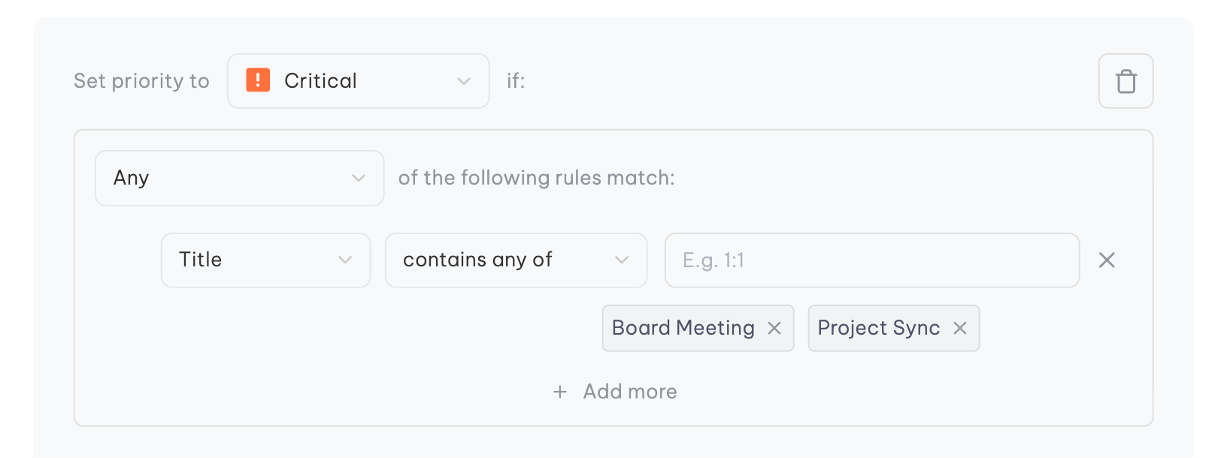
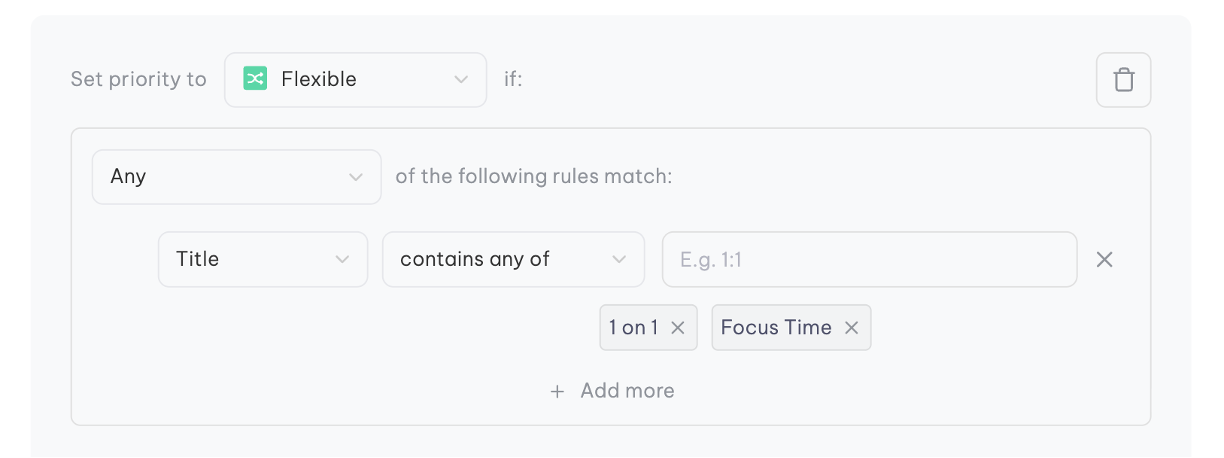
- You are now able to auto-prioritize meetings as critical and flexible.
Priority levels
- Critical — Marks an event that shouldn't be moved or scheduled over. Use this for anything locked in, like a board meeting or a commitment to an important external partner.
- Flexible — Marks an event that can be moved or scheduled over if needed. Use this for things like internal syncs or focus time that can flex around higher-priority commitments.
- No priority — The default state. Events without a priority set don't display a colored marker.
Improved scheduling with free/busy visibility
Some calendars — like an executive's Outlook calendar — can be shared with you as free/busy only. Normally, that means every event just shows as a plain "Busy" block, with no way to tell which ones can be scheduled over.
If that calendar has Priorities turned on, and the owner or their EA has marked their events accordingly, those Busy blocks will show up color-coded by priority, even though you still can't see the event titles or details. This means you can:
- Look at a free/busy calendar and immediately spot which Busy blocks are marked Flexible.
- Offer or book directly over those Flexible blocks with confidence, instead of avoiding anything marked as Busy.
- Leave anything marked Critical untouched, since it signals the event shouldn't move.
This effectively unlocks smarter scheduling on calendars you'd otherwise have very limited visibility into — turning a plain "Busy" into a clear signal of what can and can't move.