MCP
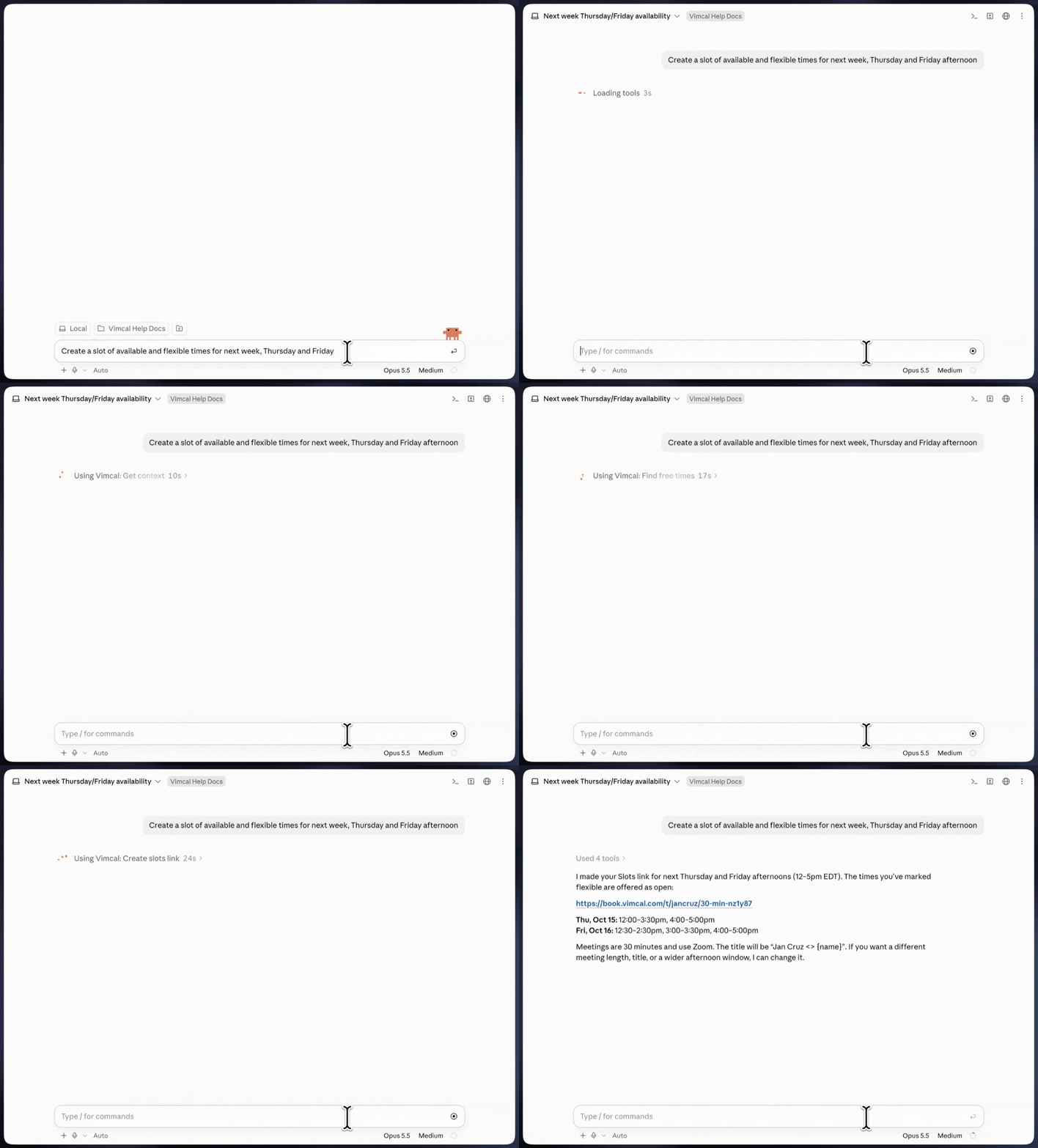
Connect Vimcal via MCP to your AI assistant for an intelligent, seamless scheduling experience.
How to set up Vimcal MCP for Claude
Adding the connector
As an admin
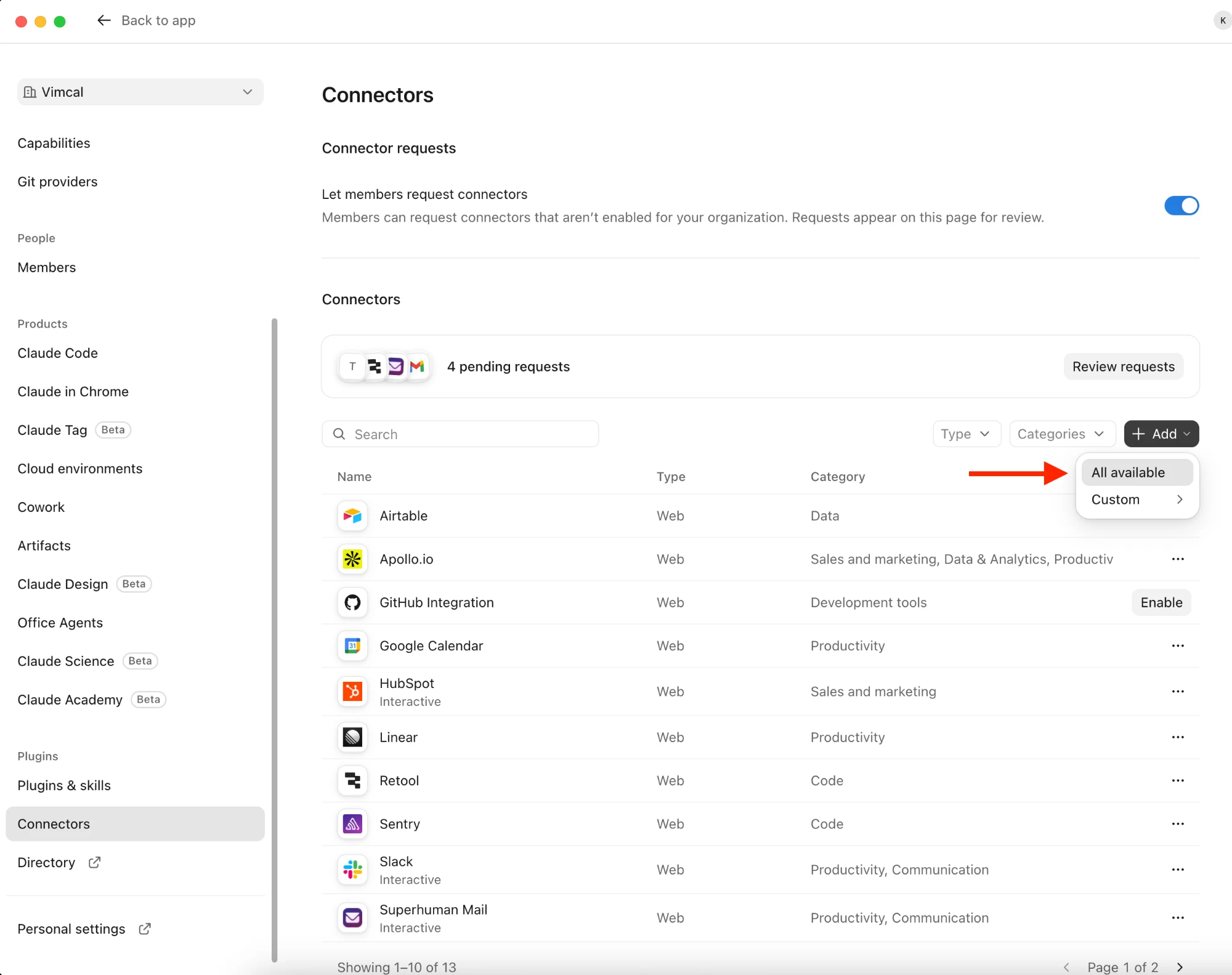
- In Claude, go to your organization settings.
- Open the Connectors page.
- Click the Add button, then select the All available option to bring up the connector directory.
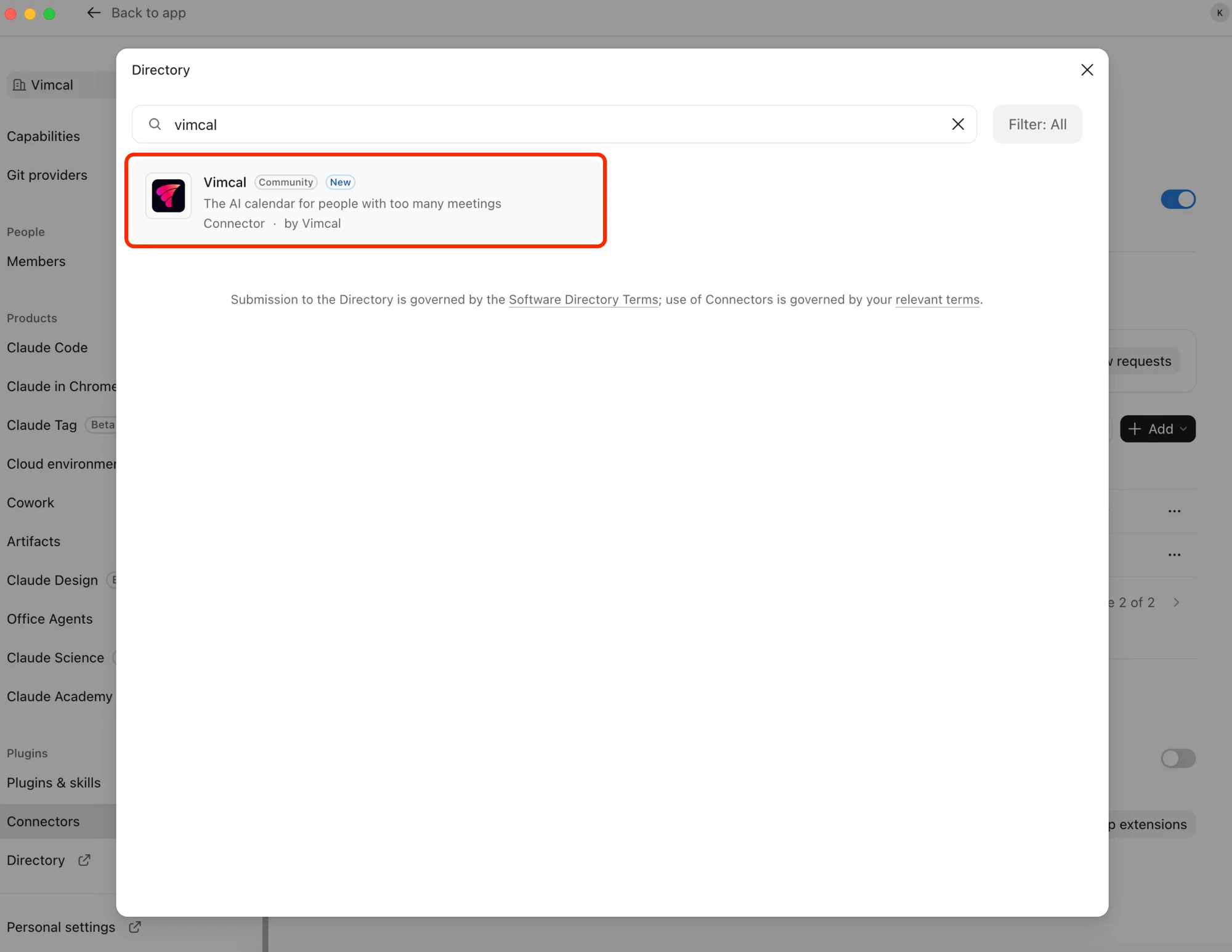
- Search for Vimcal and add that connector to your organization.
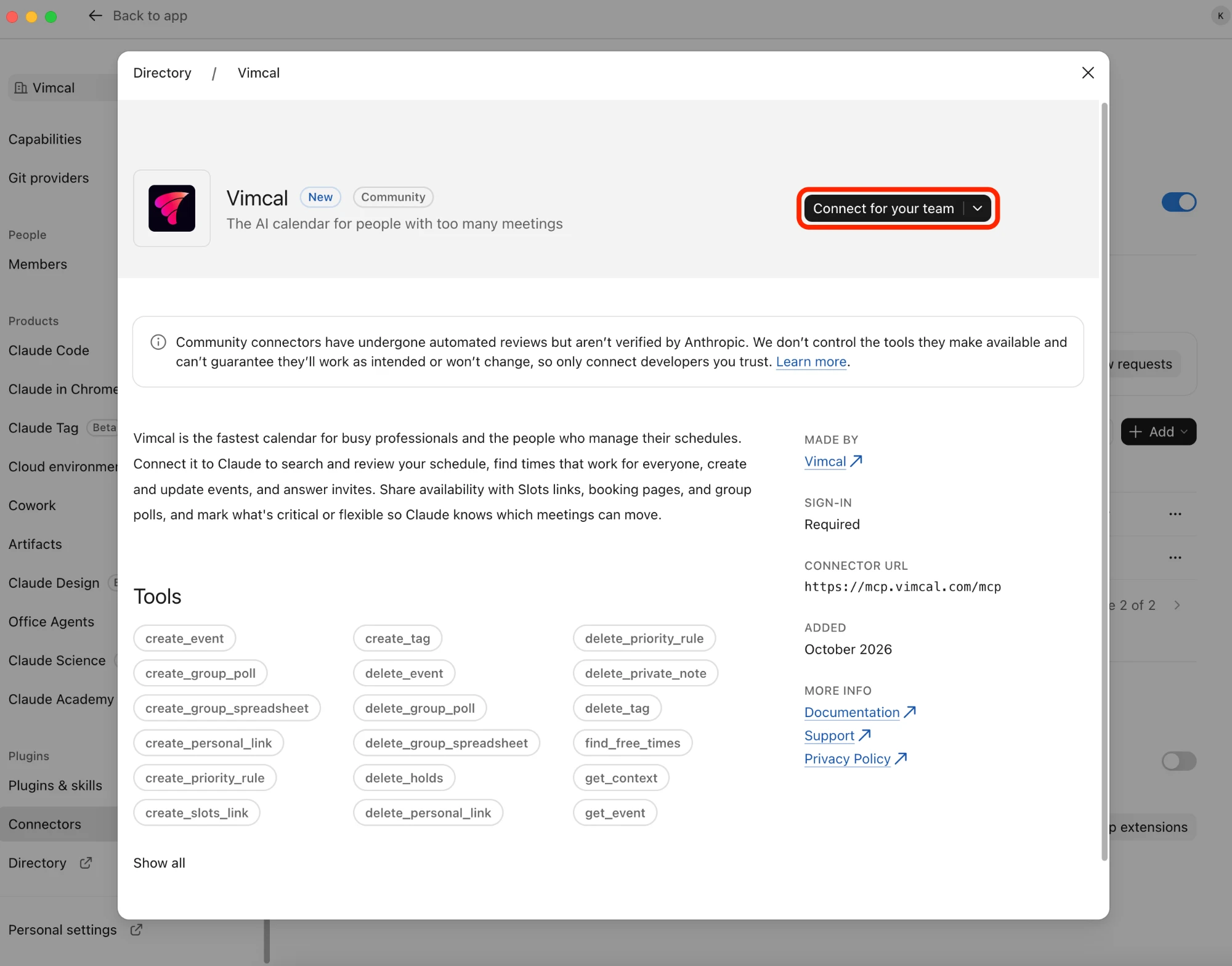
- Click the Connect for your team button.
As an individual
If you are adding the connector just for yourself, and an admin has not yet added the connector to your team, you can follow the steps below.
- In Claude, go to your personal settings.
- Open the Connectors page.
- Change the view from Yours to Discover.
- Search for Vimcal and add that connector to your account.
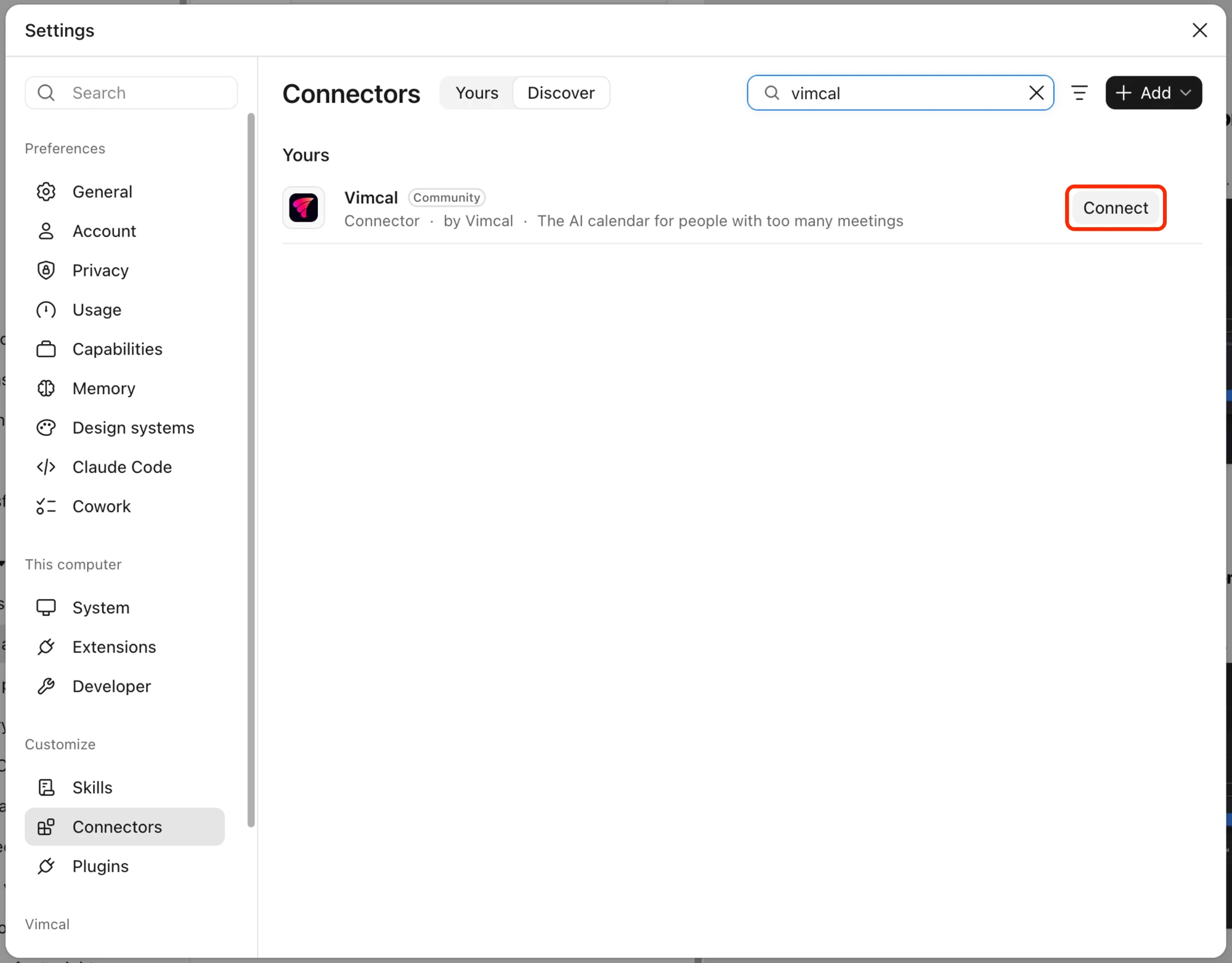
Note: Some organizations may require an admin to add the connectors to the team, so depending on your organization settings this may not be possible.
Connecting your account
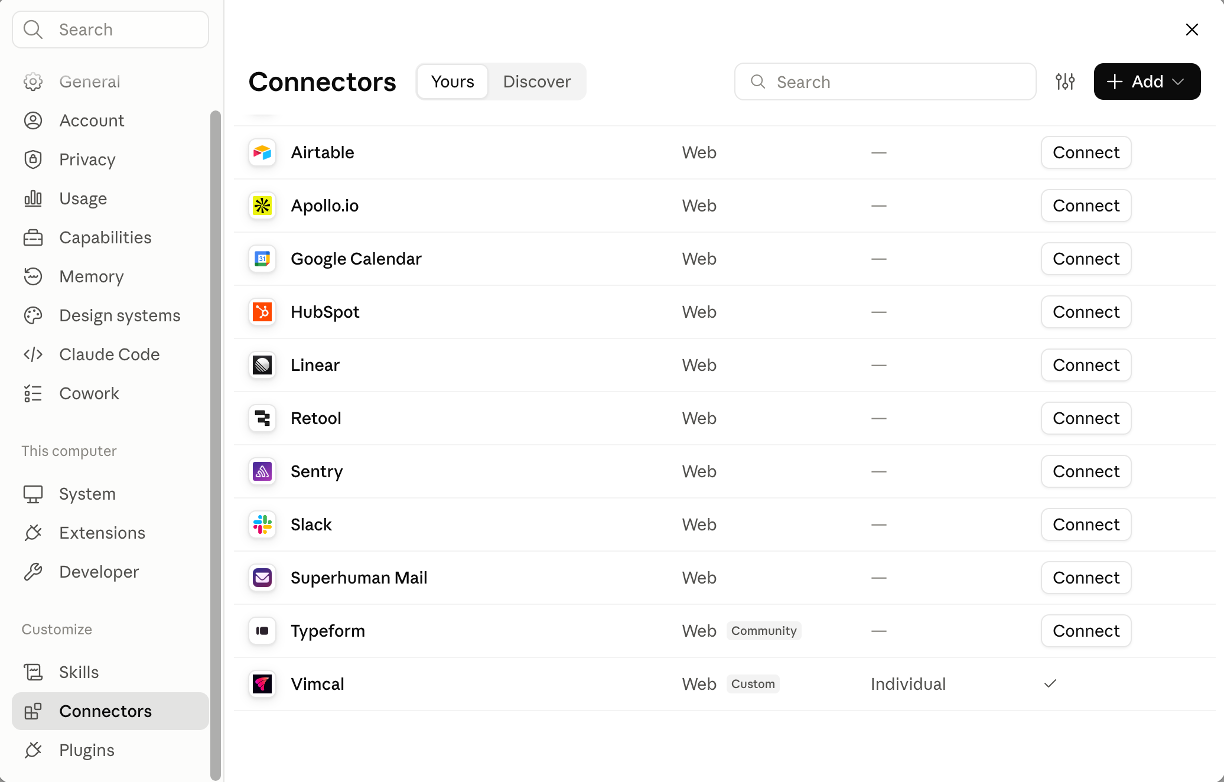
- Go to your user settings in Claude.
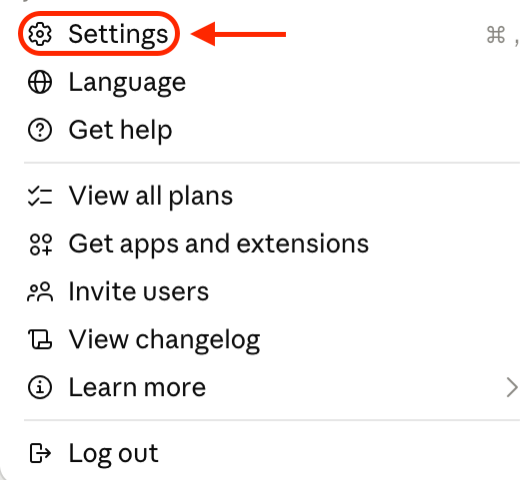
- Open the Connectors page in the Customize section.
- Find the Vimcal connector and click the Connect button.
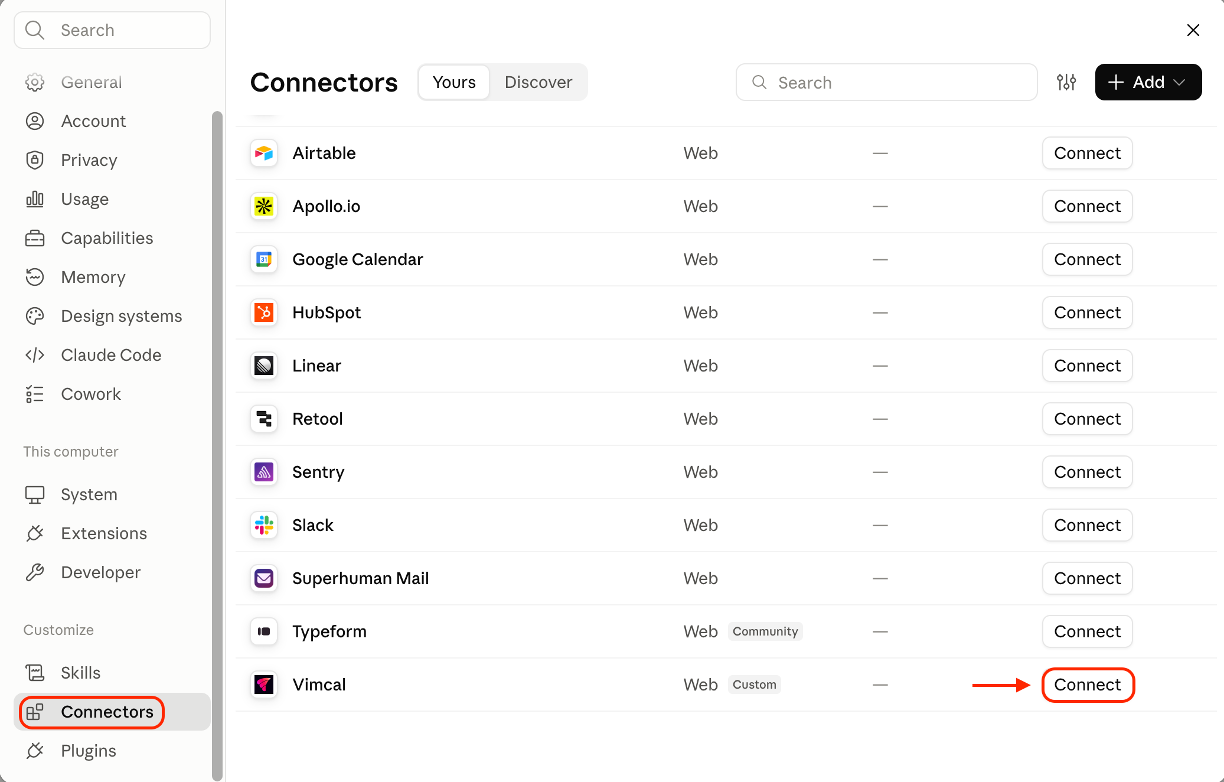
- You will then be prompted to sign in to your Vimcal account.
- After signing in, you'll need to allow Claude access to your Vimcal calendar.
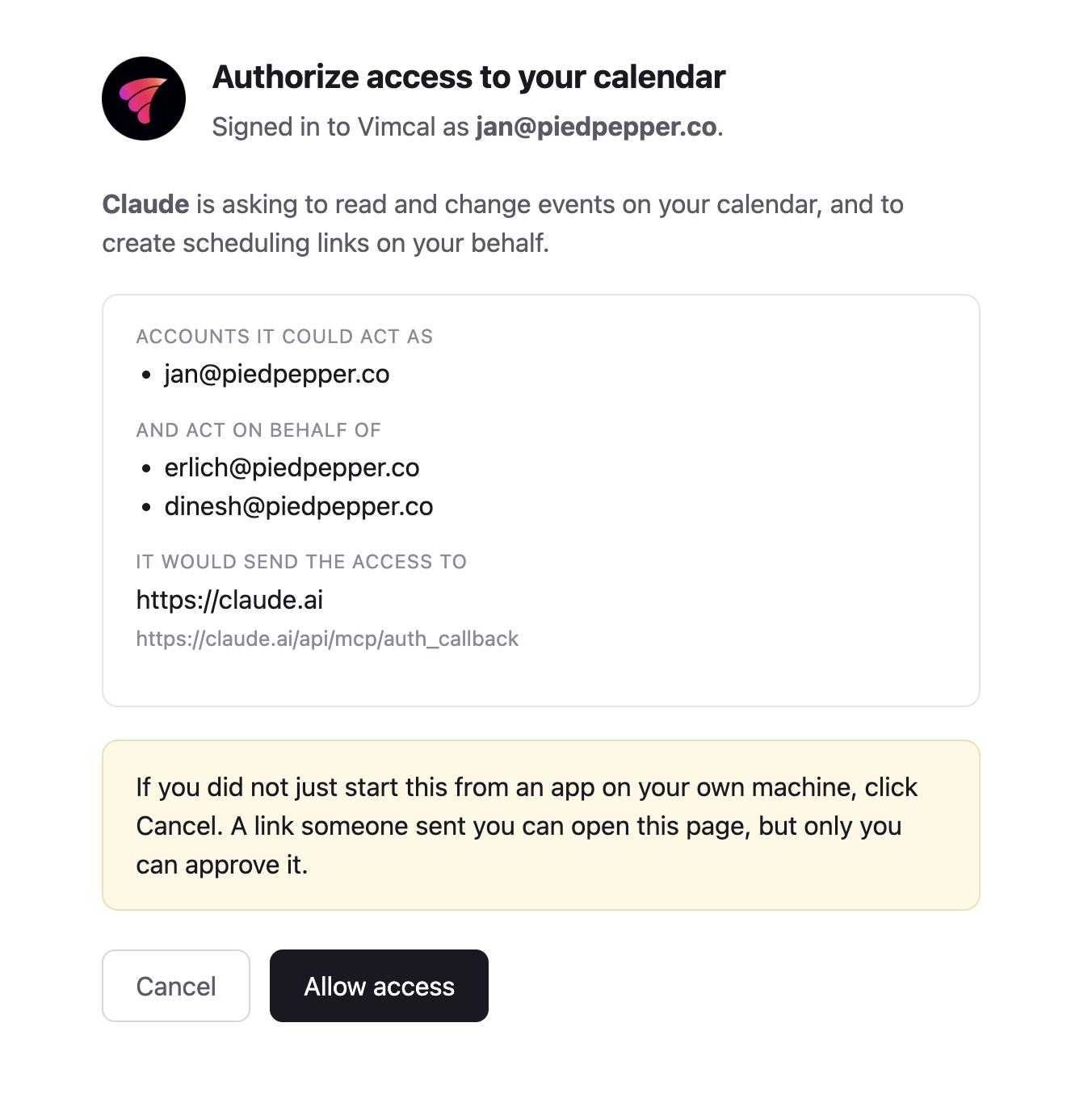
- After allowing access, you'll be prompted back to Claude where you can verify that it is now connected.
How to set up Vimcal MCP by URL
We are in the process of adding the Vimcal MCP to the directory of more AI clients. If one is not available yet, you can set up a custom connection to Vimcal with this URL: https://mcp.vimcal.com/mcp
What you can do
With Vimcal connected to your AI assistant via MCP, your scheduling experience is now smarter, faster and seamlessly connected.
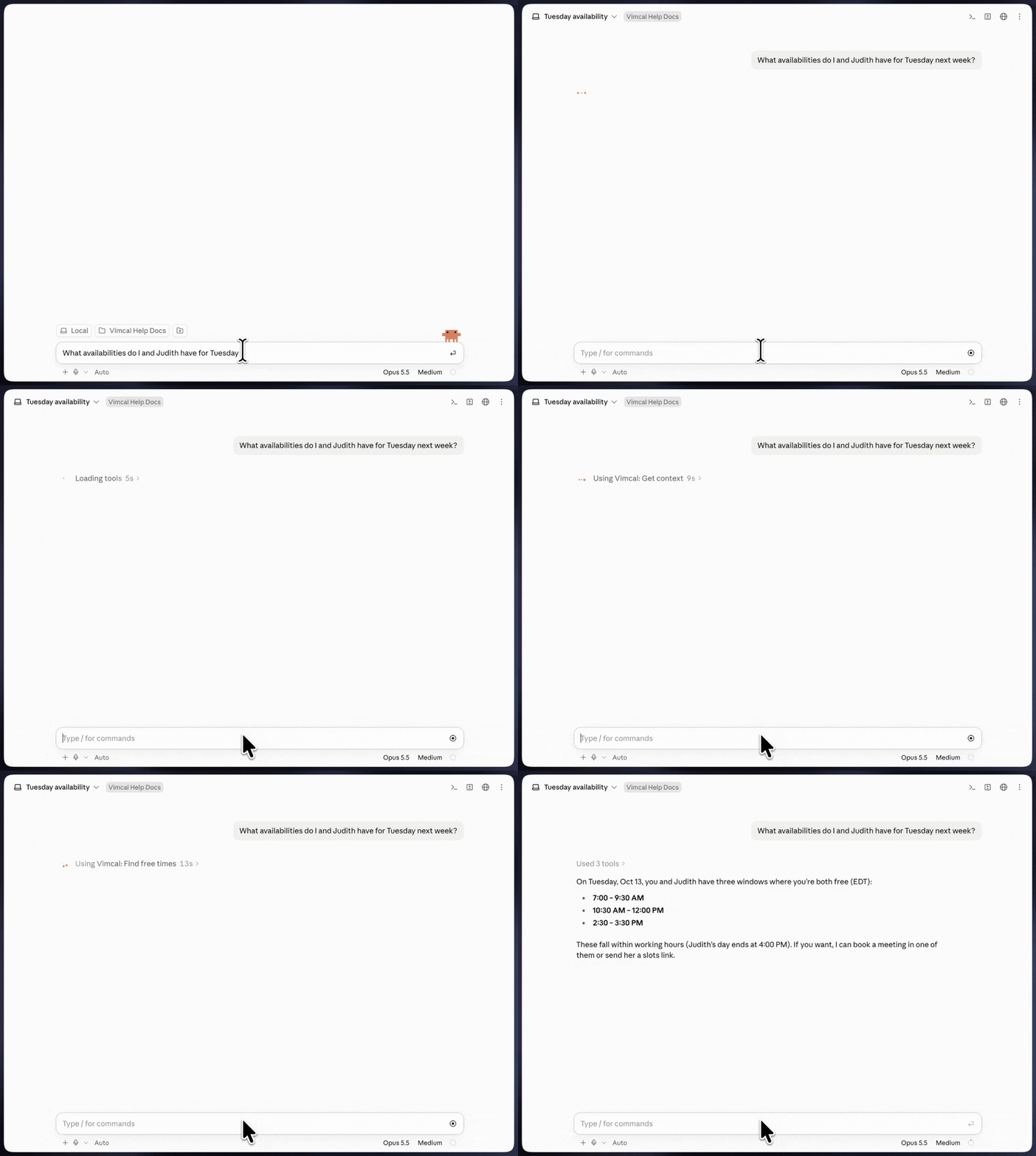
Find available times
Effortlessly check availability across calendars, across time zones and Vimcal's flexible priority settings, then instantly create the meeting or generate a booking link to share.
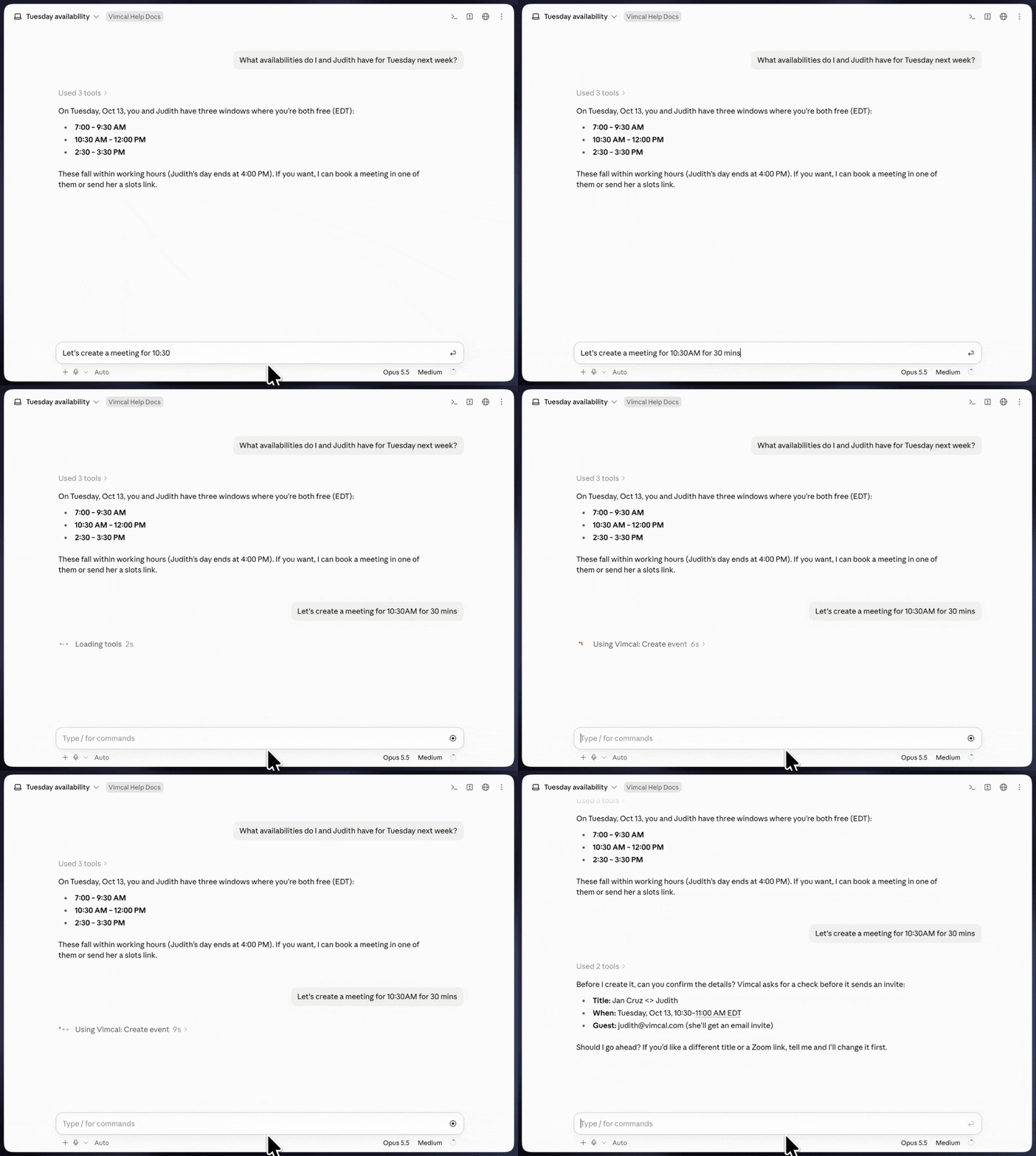
Create meetings
Vimcal lets you instantly create and customize meeting titles, durations and recurrence through your AI assistant.
Generate slots
Our Slots feature lets your AI assistant instantly generate booking links and shareable time lists through simple conversation, making scheduling faster and more effortless than ever.